Adjust gap with on-canvas drag handles
Select a row or column of evenly spaced widgets and drag the handles in the gaps to increase or decrease the shared margin, without touching any widget.
On-canvas drag handles, tidy-up, and position swap, closing the gap with Figma on RP's most-requested layout fixes.
Axure RP is a prototyping tool for PMs, designers, and BAs. PMs own discovery and design with no separate handoff. Layout is a daily workflow.
Make it easy to adjust spacing between evenly spaced widgets without multi-step workarounds. Shipped alongside tidy-up and position swapping, together the top upgrade driver in customer surveys.
Synthesized support tickets and feature requests. Customers repeatedly asked for distribute-by-margin and spacing without resizing, comparing RP unfavorably to Figma.
Built interactive Axure RP prototypes simulating multi-select and handle dragging. Shared with engineering to clarify behavior before implementation.
Documented when handles appear, how they render in the gap, and vertical vs. horizontal behavior, with mockups as the single source of truth for eng.
Users were spending too much time on layout and spacing, especially when they had to resize widgets to get the spacing right.
Layout pain was the top driver in upgrade surveys and came up repeatedly in competitive evaluations.
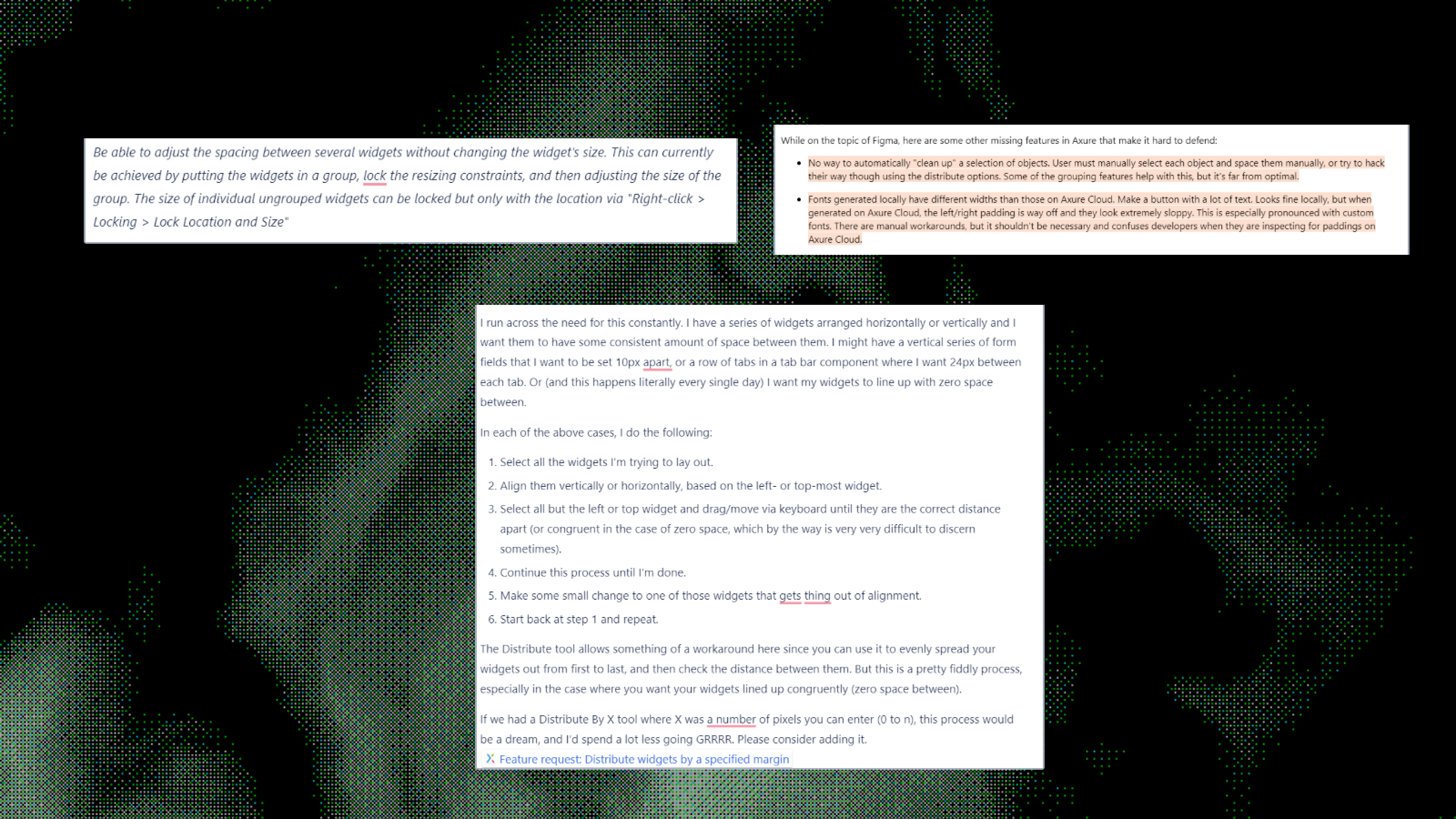
I needed to do competitive research to understand how other tools handle spacing and layout. I also needed to talk to customers to understand their pain points and how they currently work around them.
Competitive research
I needed to understand how other tools handle spacing and layout.
Customer interviews
I needed to understand their pain points and how they currently work around them.
Reverse engineering
I needed to understand what exactly the rules needed to be, and how to communicate them to engineering.
Heavy prototyping
I needed to build a prototype to understand the full interaction and how it would feel to use.
Check out the prototype used in the spec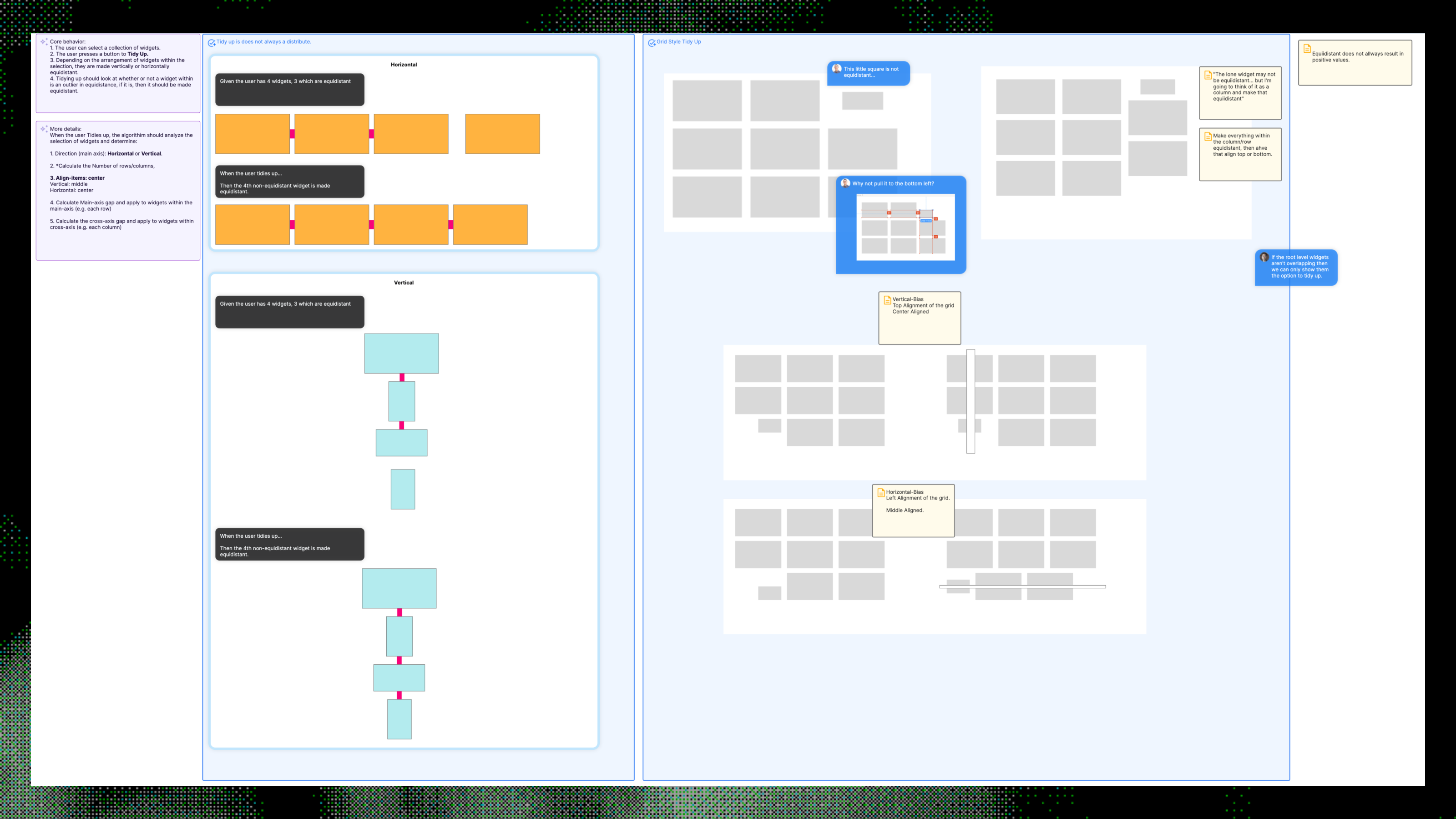
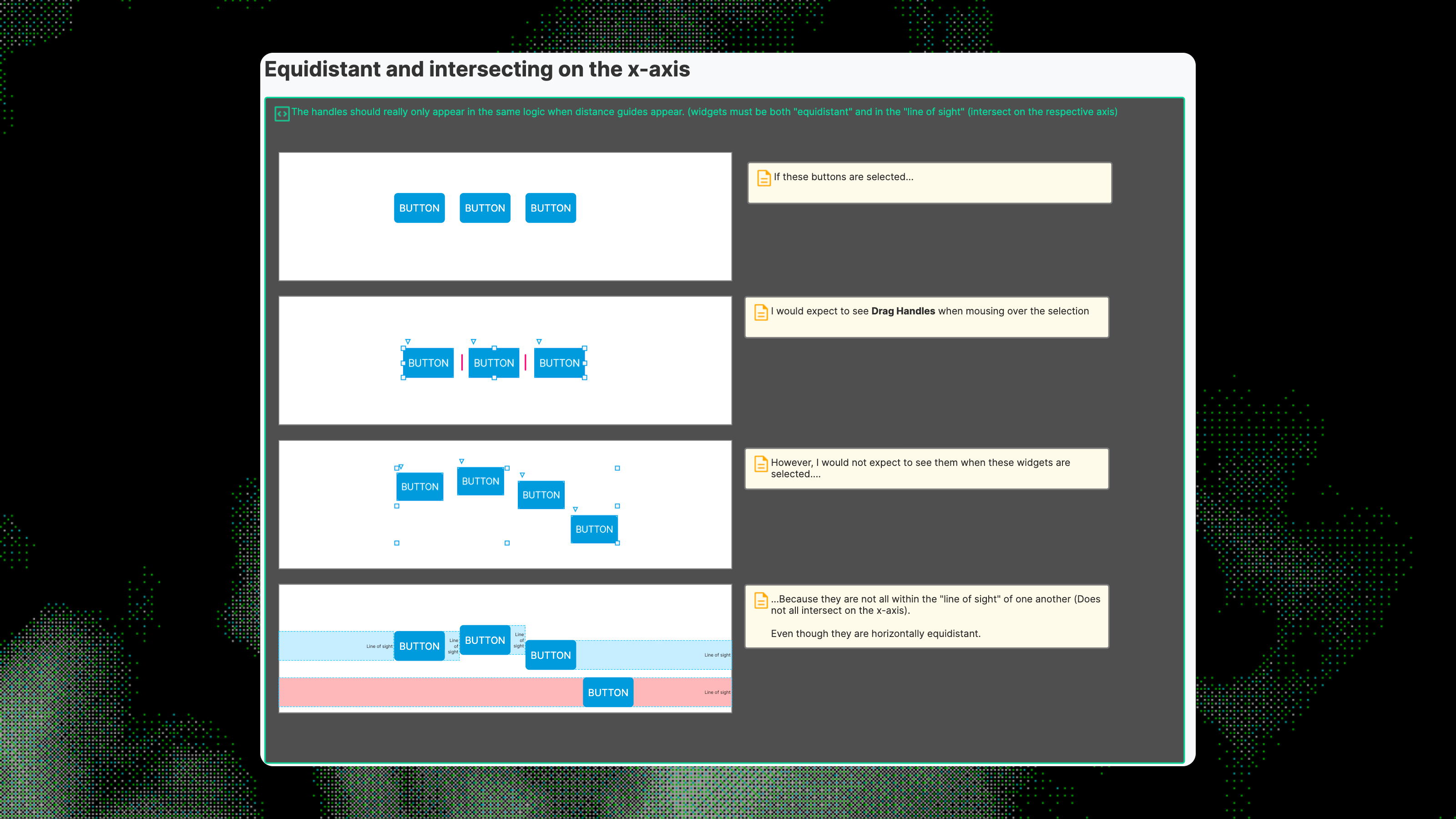
Draggable handles appear in the gaps between equidistant widgets. Select an evenly spaced row or column, hover, and drag a handle to increase or decrease the shared margin, without resizing any widget.
Select a row or column of evenly spaced widgets and drag the handles in the gaps to increase or decrease the shared margin, without touching any widget.
Select a messy group of widgets and tidy them up into an evenly distributed grid in one action.
Drag one widget onto another to swap their positions on the canvas.
Shipped
Team size
Upgrade driver in customer surveys (layout features)
Retrospective: Canvas features are hard to spec in words. Interactive prototypes in the same tool customers use paid off: engineering could see selection, hover, and drag in one place. Tying handle visibility to distance-guide rules kept the mental model simple: if you see the guides, you can adjust the gap.