How I used Claude Code to do my work in Product, Marketing, and Documentation faster than ever

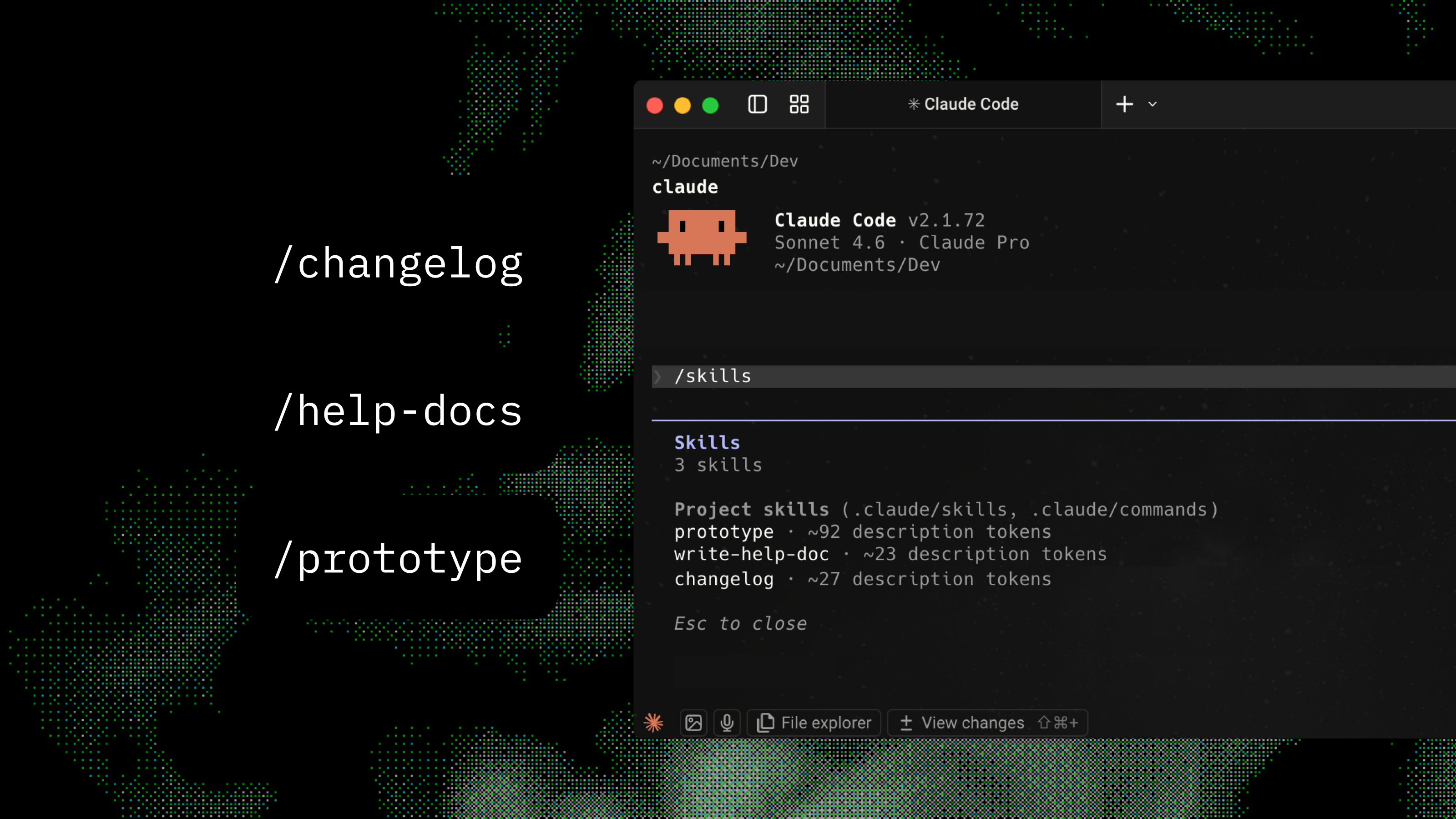
I built three Claude Code skills that helped at different stages: prototype for stakeholder review, help docs from the codebase, and changelog from git. All from the terminal.

Product Manager / Tooling Author2024–2025B2B SaaS / AI ToolingClaude Code, Git, Nuxt 3, Docusaurus v3

Company context

Axure makes prototyping and collaboration tools for product teams. We're a smaller team, so marketing and help docs often fell through the cracks. I kept thinking: what if we could use AI to cover the work that used to sit on one person's plate? Ship and communicate without hiring. The catch: as a PM, shipping a feature still meant jumping between five or six tools. Axure and Figma for concepts, a doc editor for specs, Jira for tickets, then I'd manually write help docs and a changelog at the end. Every switch was a chance to lose context or quality.

Mandate

I wanted to shrink the gap between idea and "shipped and talked about" without adding people or new systems. Cover the key outputs (prototype for review, help doc, changelog) in a way that was fast, consistent, and good enough that engineers and writers didn't have to redo it.

  • No engineering time for internal tooling. I had to build it myself.
  • Output had to match our existing docs and marketing style. No generic templates.
  • You need the source for your docs site, marketing site, and product locally. I kept them under one parent directory, ran Claude from that root, and stored the skills there. That setup mattered.

My contributions

/prototype skill

I wrote a Claude Code skill that plans three distinct directions (name, core idea, trade-off) then generates each as interactive HTML. No config or design system required. No build step. Just open in a browser.

/write-help-doc skill

A command that crawls our Cloud source code, figures out what a feature does from controllers, services, and UI components, and writes a formatted help article with screenshot placeholders. You get something to edit, not a blank page.

/changelog skill

A command that reads recent git commits, filters out the noise (dependabot, build fixes, CI), buckets changes by type, and drafts a biweekly changelog entry in the same voice and format we use on axure.com/changelog.

Problem

Every feature meant bouncing between six or more tools. Wireframe here, share concepts there, specs in a doc editor, Jira for tickets, then I'd write help docs from memory and hand-roll a changelog from git or engineer notes. Every jump was a place where quality slipped and time disappeared.

Help docs showed up late, often after launch, and sometimes didn't match what we actually shipped. Changelogs were vague or we skipped them. Customers didn't understand what they could do. That meant more support tickets and missed moments. Before the skills, help docs needed a meeting with the technical writer, devs, and me. Once we tied the help-docs repo to the Cloud source, the writer and dev could produce the doc without that full loop. For marketing, we used to build a Jira filter, sift for spotlight items, then publish. The changelog skill does the sifting: it reads Git history, includes the right changes, ignores the noise, and drafts. What used to take days now takes minutes.

Claude Code's skill system let me turn repeatable PM workflows into structured prompts that read live source, configs, and git history. For the first time I could build tooling that was actually wired to the codebase. Not just templates. Real, context-aware tools.

01

Finding the three handoffs that hurt the most

I mapped every step from idea to what customers actually see. Three spots ate most of my time: exploring UI directions (tons of manual drawing in Figma and Axure RP), writing help docs (blank page every time, usually after the fact), and pulling together changelogs (reading git log and turning engineer-speak into product language). Those three were the most repeatable.

Challenges

  • Getting three genuinely different prototype directions (not just color swaps) meant adding a planning phase before any code. Explicit direction names, core ideas, trade-offs. Then generate.
  • Help docs meant the model had to read and stitch together controllers, services, and UI components, then turn implementation details into user language without dumping jargon.
  • Changelog meant filtering a noisy git log and grouping related commits before writing. Plus figuring out the right date range from the last published entry. All automatic.
  • Prototypes had to open in a browser with zero build step, use real content (no lorem ipsum), and cover the UI states that actually matter. Otherwise they were useless for alignment.
  • Help docs had to match our help site: same format, callouts, voice. Generic markdown wasn't enough. The skill had to know our conventions.
  • Changelog entries had to sound like a human wrote them. Voice, structure, user-first framing. I fed the skill existing entries so it could match before drafting.
  • Images stayed manual. I couldn't get AI to make changelog graphics we'd actually use, so I still do those. For help docs we tried a Playwright skill to auto-capture screenshots. Output was okay but we weren't happy with quality, it needed extra editing, and we were on test credentials we didn't want on the live site. So screenshots stayed a human step.

Key decisions

Have the skill plan three distinct directions in a structured step (name, core idea, trade-off) before writing any code, with no external config.

At Axure, we always tried to come up with 3 different ways to solve the problem. That way, we could have a discussion about the trade-offs and choose the best one.

Have the help doc skill read live source instead of taking a description as input.

Descriptions go stale and are incomplete. Reading the real controllers, services, and UI means the doc reflects what we actually built, not what someone remembered to write down.

Have the changelog skill use the last changelog file's date as the git cutoff, automatically.

That removed the most error-prone step: figuring out what to include. The skill always grabs exactly the commits since the last entry. Nothing more, nothing less.

Generate prototypes as standalone HTML, not as components in the app.

HTML was easy to share locally. No need to run the project. Just open the file. Our devs already knew the component structure. We could have had Claude add implementation guidance but never needed it.

The prototype skill started with one direction. After a few uses I saw the problem: one direction locked the team on one approach too early. Discussions turned into critiques instead of choices. I switched to three directions (conservative, structural, experimental). That changed the dynamic completely.

02

Three skills, different stages

Three skills that helped at different stages. /prototype turns a UI ask into three interactive HTML directions in minutes for stakeholder review. /write-help-doc reads the finished codebase and spits out a formatted help article. /changelog reads git since the last entry and drafts the announcement. All from the terminal.

/prototype - three interactive directions from one prompt

Three distinct interactive HTML prototypes from one prompt. No build step.

Exploring UI directions meant wireframing in Axure RP or Figma for hours. Static images. Hard to interact with or iterate on in a discussion.

The skill has a structured planning step before any code: the model defines three directions (name, core idea, trade-off) with a spread of familiar, structural, and experimental. Then it generates each as a standalone HTML file using Vue and Tailwind via CDN. No build step. Real content. Meaningful UI states wired up. Output includes a comparison table and one-line open commands for each direction.

View skill source

/write-help-doc - documentation from the source, not memory

Crawls the codebase and produces a formatted help article with screenshot placeholders. Ready to edit.

Help docs were written late, from memory, and often didn't match what we shipped. Blank page every time meant inconsistent structure, missed edge cases, and review cycles that added days.

The skill walks the Cloud source: controllers for API shape, services for logic, UI components for what users see. It synthesizes what a feature actually does into a formatted help article. Follows our help site conventions: frontmatter, callouts, numbered steps, screenshot placeholders with capture notes. It also updates the sidebar nav file automatically.

View skill source

/changelog - git log to finished draft, automatically

Reads recent git commits, filters noise, drafts a biweekly changelog entry in the same voice and format as axure.com/changelog.

Changelog entries meant reading git history, turning ticket IDs and engineer-speak into product language, grouping related changes, matching tone and structure. All manual. Every two weeks.

The skill reads the two most recent changelog files to get format and voice, pulls commits since the last entry's date, filters noise (dependabot, build fixes, CI), buckets changes as features, improvements, or bug fixes, and drafts a full entry. Headline features get full paragraphs. Improvements and fixes go in collapsible sections. You get something to review and edit, not something to throw away.

View skill source
03

What actually happened

3

Custom Claude Code skills

<10 min

Time to three prototype directions (was 3–4 hours)

Down to minutes

changelog draft (was days)

  • AI ended up doing work that would have landed on our technical writer and marketing owner. Two roles' worth of output without adding headcount.
  • Prototype exploration used to take 3–4 hours of wireframing. Now it's under 10 minutes, and we get three interactive directions instead of one static mock. Claude often suggested approaches I hadn't thought of.
  • Help-doc projects that used to need several review cycles could turn around in a few days. First draft was complete. You edited instead of authored.
  • Changelog used to take days: Jira sifting, drafting, review. Now it's minutes. Run the command, review and edit the draft, add graphics by hand, save.
  • Team alignment on UI got a lot better. Three interactive options turned prototype reviews from "critique this one idea" into real options discussions with clearer trade-offs.
  • Docs got more consistent because the source of truth is the codebase, not someone's memory. Features are described more accurately. Edge cases get caught more often.
  • The skills rewarded good habits. Meaningful commit messages and clean code make the changelog and doc skills work better. That raised the bar for the whole team.
  • When my core work is done I look for more to do. Building the skills was proactive. I built first, then brought the team in. Didn't wait for formal approval.

Retrospective: Honest take: these were huge time savers, but they always needed a human to check the output. Being clear about what AI didn't solve (changelog graphics, production-ready screenshots, overly technical jargon) kept expectations real and left the right work in human hands.